



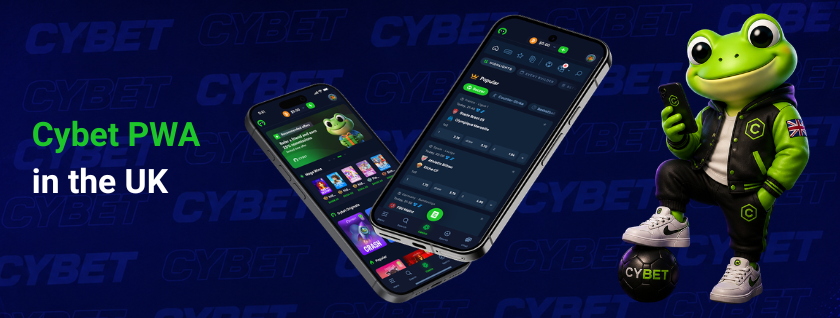
Cybet PWA works directly in the phone’s browser — no APK files, no App Store page. The platform provides the same betting and casino tools as a native build, but runs on Android and iOS through Chrome or Safari. UK players can add the platform to their home screen and interact with over 6,000 titles, live dealer tables, and a comprehensive sportsbook — all through the Cybet mobile PWA interface launched in July 2025.
Installing Cybet PWA
Installation of the progressive web application is the process of adding a home screen shortcut that launches the mobile platform in a standalone browser window. The procedure takes under a minute and differs slightly between operating systems.
Android (Chrome browser):
- Go to the official site in Chrome.
- Hit the ⋮ menu (three dots, top right).
- Pick “Add to Home Screen.”
- Name it, tap “Add.”
- Done — the icon sits on your home screen.
iOS (Safari browser):
- Load the official site in Safari.
- Hit the Share button (square with arrow, bottom bar).
- Pick “Add to Home Screen.”
- Name it, tap “Add.”
- Done — works like any other app icon.
No app store account or separate app download is needed to install Cybet on your device. Registration requires only an email address — standard gameplay does not involve lengthy identity verification procedures.
Benefits of the Cybet PWA
PWA solves three problems native apps create: forced updates, heavy installs, and app store gatekeeping.
- No app store dependency. Updates deploy automatically on the server side. Every session loads the current build — no 150 MB update prompts.
- Cross-platform compatibility. One URL opens the same interface on a Samsung, iPhone, or laptop — no separate builds.
- Minimal storage footprint. Under 5 MB of cached data keeps device storage free for other applications.
- Full feature access. The lobby holds 6,000+ titles. Slots come from Evolution Gaming, Pragmatic Play, NetEnt, and others. Live tables, Cybet Originals (Dice, Plinko, Mines), and a sportsbook with major league coverage round out the catalogue.
- Instant loading. Pages cache locally after the first visit, so repeat launches take under 2 seconds on a 4G connection.
- Demo mode. Spin any supported slot at zero cost before risking real crypto.
- Multilingual interface. 13 languages ship out of the box — English, Spanish, Portuguese, French, German, Japanese, and 7 more.
After testing dozens of mobile betting platforms, no performance gap was found between this PWA and a 200 MB native build — except the download is skipped entirely.
Security and Transactions
Security of financial operations on the mobile platform relies on on-chain cryptocurrency processing paired with encrypted browser connections. Every request between the player’s device and the server travels over TLS/HTTPS. Accounts are locked behind email verification; optionally, Google Authenticator can be added as a second factor.
Deposits and withdrawals run on 11 coins:
| Feature | Details |
| Supported currencies | BTC, ETH, USDT, USDC, LTC, DOGE, SOL, TRX, BNB, XRP, XLM |
| Minimum deposit | $1.00 |
| Maximum deposit | No upper limit |
| Minimum withdrawal | $10.00 |
| Maximum withdrawal | No upper limit |
| Withdrawal fee | $1.00 – $3.00 |
| Processing time | Minutes to 1 hour (blockchain-dependent) |
| Maximum single payout | $100,000.00 |
Deposits are accepted from any compatible wallet, including self-custody solutions (MetaMask, Trust Wallet) and exchange wallets. Withdrawals go to the cryptocurrency address specified by the player.
Withdrawal requests may trigger additional confirmation through email or 2FA. Unusual account activity — such as IP address changes, new devices, or atypical login locations — can prompt supplementary verification. Large or elevated-risk payouts may undergo manual review for compliance purposes.
The platform operates under the Anjouan Offshore Finance Authority licence (ALSI-202409034-FI2) and runs as No-KYC-friendly — registration is completed with an email address, after which gameplay is immediately available. Documents may be requested only if the system flags suspicious logins or AML rules require it.
Support and Issue Resolution
Support services for the mobile PWA provide direct access to the technical team through two channels, available regardless of the device or browser used.
- 24/7 Live Chat — the fastest option, accessible directly from the platform interface.
- Email — [email protected] for detailed inquiries, documentation requests, or follow-up correspondence.
Common issues and recommended actions:
- Account locked: Contact the support team immediately via live chat or email. Provide the most recent deposit transaction hash as proof of ownership.
- Account compromised: Follow the same procedure — reach out through official channels with the latest recharge hash for identity verification.
- Slow withdrawal: Check blockchain network congestion for the specific cryptocurrency used. Typical wait: 10–60 minutes, depending on blockchain load.
- PWA not installing: Verify that you are using Chrome on Android or Safari on iOS. Alternative browsers may not fully support the “Add to Home Screen” function.
- Interface errors after update: Delete the shortcut, clear Chrome/Safari cache, then add the PWA to your home screen again from scratch.